
The filters are ready. Before reaching for the volume knob, check the result view for warnings, clipping risk, excessive boost, or odd timing. Then comes the interesting part: finding out what happened to the music.
What the graphs are for
Safety check
Check warnings, headroom, boost, channel routing, and the final impulse before playback.
Troubleshooting
If something sounds wrong, the magnitude, phase, group-delay, and filter plots can help show why.
Read the generated result
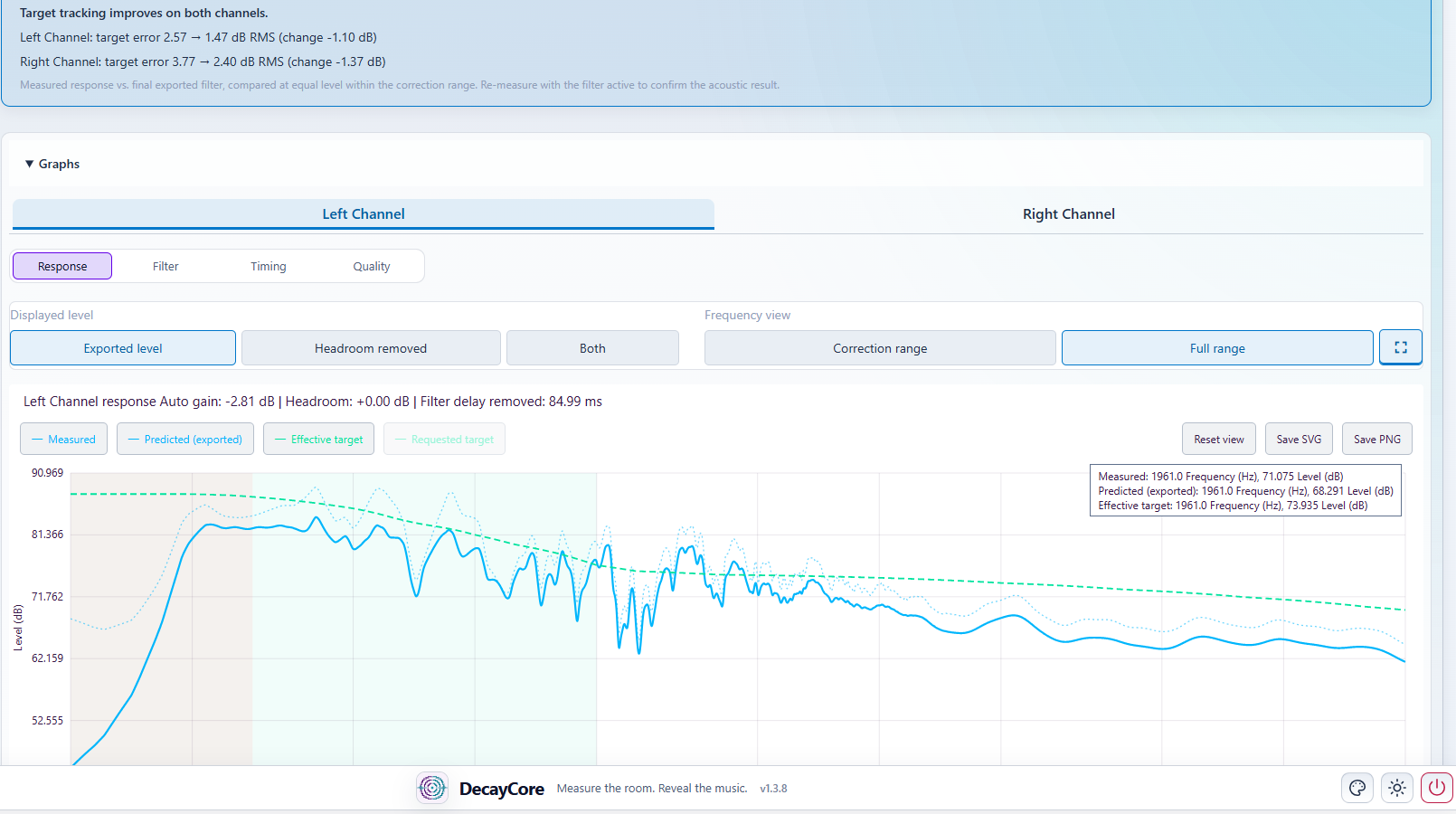
Check these before playback:
| Check | What you are looking for |
|---|---|
| System Health | Resolve every critical finding and understand the warnings. |
| Magnitude | Broad improvement without implausible boost into deep cancellations. |
| Phase and Group Delay | Smooth, contained timing correction inside the supported range. |
| Filter and headroom | Correction demand that stays inside the reported gain and safety limits. |
| Impulse | Controlled energy around the main peak, especially for linear- and mixed-phase filters. |
| Summary | The intended mode, target, filter type, limits, and Automatic winner details. |
Open the complete Reading DecayCore Output guide.
Compare phase strategies interactively
The interactive FIR comparison puts DecayCore’s Mixed, Minimum, Linear, and Asymmetric phase filters beside the same reference filter. Change the reference, inspect signed differences, and compare magnitude, timing, phase, and impulse behavior without reducing the result to a single winner.
Listen first
- Load the correct Left and Right filters and any required subwoofer or Hybrid IIR stages.
- Check the sample rate, channel routing, and headroom.
- Start at a low volume.
- Use recordings you know well.
- Compare with bypass at the same volume.
Try a bass line with a few different notes. Are some still much louder than the others? Listen to a familiar voice and the space around it, then something busy enough to test whether the bass keeps its shape. Pay attention to tonal balance, bass integration, clarity, and imaging. A leaner sound can seem clearer at first while losing some of the body you enjoyed, so give it a few tracks.
If the filter sounds worse, do not keep it just because the curves look cleaner. You have to live with the sound; the graph gets to sit in a folder.
At some point, you are allowed to finish the album instead of restarting the same thirty seconds.
Optional measurement through the convolver
DecayCore does not apply exported filters to its own measurement sweep. To measure with correction active, you must route the sweep through the convolver yourself.
This can catch routing, gain, crossover, polarity, and sample-rate mistakes. Do it only if you understand the routing. The measurement is an extra check, not a replacement for listening.
Keep comparisons honest
One room does not prove how a filter will work in another. When sharing comparisons, include the microphone method, smoothing, level, frequency range, target, and playback chain. Share the measurement files when possible. It gives the next curious listener something more useful than “the bass is tighter”, a phrase that has already done several lifetimes of service on hi-fi forums.
For deployment details, use the User Manual. For the correction rationale, see How DecayCore works.